
now that’s a TED-talk that keeps you dreaming on a sunday afternoon. great stuff!
gadgets and gizmos
There are 70 posts filed in gadgets and gizmos (this is page 2 of 4).
that’s how my heart beats
whoever follows me on identi.ca (or on facebook for that matter) knows that i’ve spent a noon lying in a tight and noisy tube. at the inselspital they’re always looking for gunia pigs for mri-studies, and i’ve been there (for the second time now). the reward you get afterwards is a dvd with the images of your bodypart they imaged, the last time it was my head, now – since they’re working on spectroscopy of the heart muscle – i got images of my beating heart and my torso.
and since there is a wonderful free dicom-viewer for the apple platform, osirix, i’ve tried to make some nice videos of my inner workings. so without much further ado, here’s the videos:
my beating heart, axial view:
my beating heart, sagittal view:
a little fly-around of my torso:
all the images have been made with double triggering, once a trigger for breathing, to compensate for the motion of the internal organs, and on top of that with a trigger on the heart-beats, to actually be able to image a full beating sequence of my heart. the funny thing is, that the people that performed the study had to ask me to breathe a bit faster, since one imaging cycle took them so long :)
oh, and BTW: here’s one video and one view of my head. whoever tells my the reason that a piece on the back of my skull is missing wins a price.
gut gerahmt [update]
this hat mich mal wieder gefragt, ob ich bereit wäre, für die BZ in die tasten zu greifen. in untenstehendem text versuche ich die freude an meinem neuesten gadget in allgemeinverständliche form zu fassen. der text sollte heute in der BZ erscheinen, falls es denn möglich sein sollte auf der etwas unpraktischen neuen seite danach zu suchen (hier geht nämlich nix und espace.ch/tastentest ist auch tot. auf tastentest.bernerzeitung.ch ist auch noch nix zu finden…)
update: bei this drüben gibt’s die seite im original-layout, auch wenn’s eher um seinen artikel über die e-book-reader geht.
«Schon wieder?», fragt meine Freundin, als ich das Päckli auspacke. Ich gestehe, bei neuartigen Gadgets funktioniert meine Impulskontrolle nur mangelhaft. Als ich den Estarling-Bilderrahmen bei einem Internetladen sah, habe ich mich spontan zum Kauf entschlossen. Das Spezielle an diesem eleganten schwarzen Ding: Es ist kein gewöhnlicher Bilderrahmen, sondern ein als solcher getarnter Bildschirm. Sobald ich die Speicherkarte meiner Kamera darin eingelegt habe, ändert sich der skeptische Blick meiner Freundin. Der Rahmen zeigt die Bilder unserer letztwöchigen Wanderung als Diashow an.
Schon das allein ist nicht schlecht. Was für mich aber der Grund war, genau diesen Rahmen zu kaufen, ist sein eingebauter kabelloser Anschluss an das weltweite Datennetz. Dies ermöglicht mir, über eine vom Hersteller eigens dafür gemachte Webseite Bilder auf dem Rahmen zu verwalten und direkt vom Computer neue Bilder in die Diashow einzufügen. Mit ein wenig Aufwand kann auch eine neumodische Variante des metaphysischen Gruselns aus Mani Matters Coiffeur-Lied nachgestellt werden, wenn Fotos des Rahmens wieder auf den Rahmen geschickt werden. Alle diese Kunstwerke werden dann auf einer Bildschirm-Diagonale von 20 Zentimetern in brillanten Farben dargestellt. Da jeder Rahmen mit Vorgaben zur Ein- und Ausschaltzeit versehen werden kann, hält sich auch der Energieverbrauch in Grenzen.
Zudem besitzt jeder Bilderrahmeneine individuelle E-Mail Adresse. So können mir Freunde und Wildfremde Bilder schicken. Aus dem Haufen unbekannter Bilder (die Absenderadresse wird nicht angezeigt) erkenne ich nur eines eindeutig. Der fotografische Geburtstagsgruss, auf dem ein Freund ein paar Kerzen für mich ausbläst, freut mich speziell, denn mein neues Gadget war nämlich ein Geburtstagsgeschenk von mir an mich selbst.
gadgets rein – gadgets raus
aufgrund einer selbstauferlegten gadgetquote und ein paar neuzugängen müssen einige gadgets raus (und auch sonst noch so einiges, das in den nächsten tagen auf ricardo landen wird…). wer eine PSP oder eine Wii erstehen will, oder den vorgänger meines neuen bilderrahmens kaufen will, der soll mal ab sonntag mittag hier vorbeischauen. falls jemand interesse an games für die beiden konsolen hat, einfach mailen, ich hab’ noch ein paar auf lager, die noch nicht auf ricardo ausgeschrieben sind…
danke sunrise
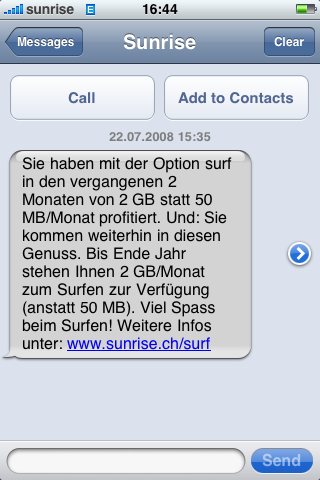 das kam heute per sms: sunrise verlängert die während der euro2008 [1] gültige 2 GB statt 50 MB-Aktion der option surf kostenlos bis ende jahr. es ist ja nicht so, dass ich die 50 MB bis jetzt ausgenutzt hätte, aber das heisst, dass nie mehr auf den zähler schauen werde, denn mit ein bisschen fahrplan raussuchen, mails lesen, zwischendurch mal eine karte angucken komm’ ich nie und nimmer auf 2 GB [2]
[1]: kann sich da noch jemand dran erinnern?
[2]: ausser ich installier mir noch transmission…
prioritäten…
mein sms aus dem zug an kollege: “hey —–. bisch o am luege?: www.macrumorslive.com gruess usem zug. habi”
sein sms ca. eine halbe stunde später: “ja, und es isch e mega kuule match. vorem moleson. wo luegsch du fertig? gruss —–“.
ich hab’ echt nicht daran gedacht, dass die schon wieder schutten…
und nur, damit’s allen klar ist: herr jobs hat heute das neue iphone mit gps und 3g und sonstnoch viel coolem vorgestellt, was mich mehr interessiert, als 22 männer, die einem ball nachrennen. leiderleider ist das telefon erst erhältlich, wenn ich mich schon auf den rückflug aus kanada vorbereiten muss, also wird’s mit mitbringen wohl knapp… aber 199$ sind schon extreeeem verlockend… mal schauen, wie teuer das dann in der schweiz wird.
wanderung gemmi – kandersteg [with map]
dieses wochenende bin ich am samstag bei wolkenverhangenem himmel von kandersteg auf die gemmi gewandert und am sonntag bei wunderschönem wetter wieder retour. am samstag hat das wintec-kästli probleme gemacht, deshalb habe ich nur am sonntag aufgenommen, wo wir durch-geschneeschuht sind. den aufgenommenen track findet ihr unten, die dazugehörigen fotos im flickr-set wanderung kandersteg – gemmipass [1], dank gps-track natürlich auch mit korrekter lokalisation der fotos auf der karte.
[1]: die panorama-fotos sind noch nicht hochgeladen, werden aber im flickr-set auftauchen, wenn ich sie gemacht habe…
1. blgmdybrn 2008
 on monday evening we’re meeting each other for drinks, gadget show-n-tell and some beers. come around if you can share some interesting stories or if you just want to drink something with us nerds.
mein kurier-nami am 18. dezember 2007 [with map]
eine woche später habe ich nochmals einen ferientag bezogen, bin ich nochmals auf velo gesessen, dabei herausgekommt ist wieder ein netter, 64km langer track durch bern, mit einem ausflug nach münchenbuchsee, zu sehen hier unten.
zu verschenken [update]
 es ist soweit! ab ersten dezember wohne ich zusammen mit nina anderweitig in bern.
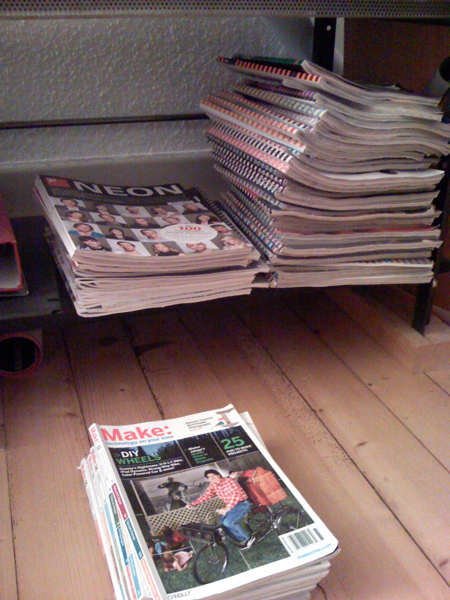
so langsam bin ich mich dafür am vorbereiten, alten karsumpel und so zusammenpacken. in diesem sinne: hat jemand meiner leser oder leserinnen interesse an (teilweise) mehreren jahrgängen strapazin, neon, wired (teilweise artikel rausgerissen) oder make? bei bedarf bitte per kommentar melden.
ich auch!
auch wenn mein iphone gestern in amerika gekauft wurde und nächstens den weg nach bern findet, möcht’ ich natütterli so einen ipod touch gewinnen, der ist ja auch nicht ohne, drum mach ich’s genau wie herr rouge und chm und link auf das ipod touch gewinnspiel von stereopoly.de

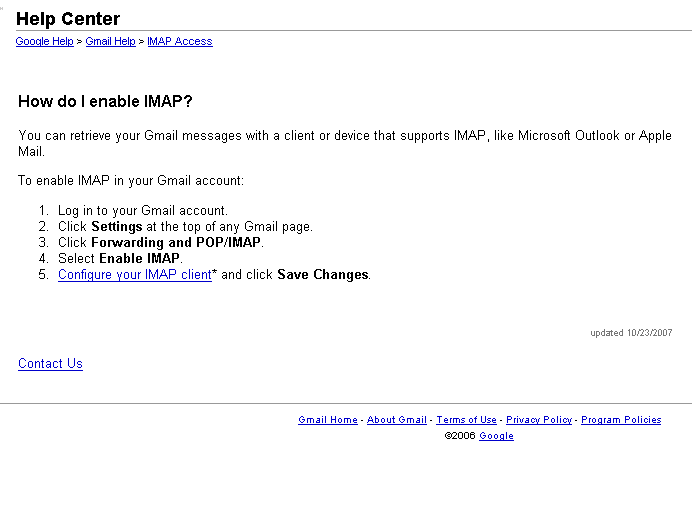
imap for gmail!
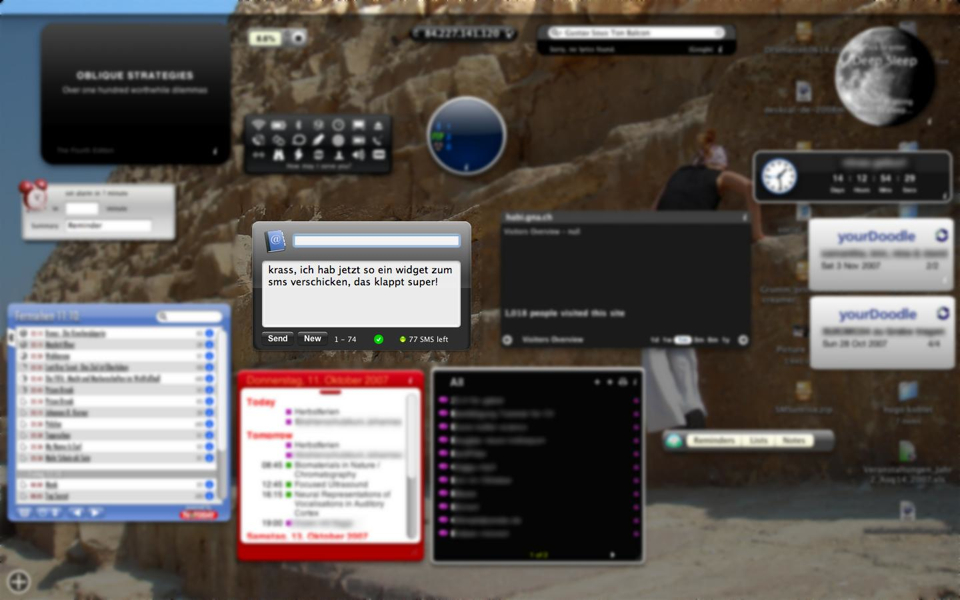
sms dashboard-widget für mymobile.sunrise.ch
 hey super!
über den herr rouge [1] weiter zu herrn benkö gesurft und schon ein neues widget für mein dashboard installiert. von jetzt an schick ich meine sms über mymobile.sunrise.ch noch schneller als bisher (bisher war’s für die wichtigsten nummern mit einem hotkey in quicksilver verknüpft…)
danke für den tipp herr b!
[1]: ich geb dir recht, so ‘was geht nicht!!!
gps-plugin-test
dies ist die karte von meinem kurier-nami am letzten mittwoch, geladen mit dem google-maps-plugin für wordpress.
danke chm für’s finden und danke patrick für’s programmieren!
lolcat for nerds [katzencontent!]
goes with my studying at the moment (got exams on tuesday…)
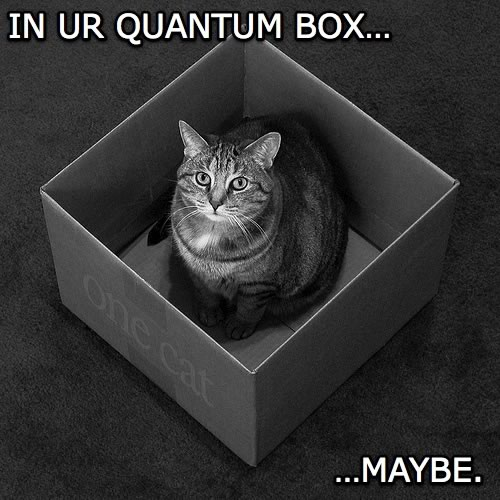
image nicked from i can has cheezburger?
Technorati Tags: katzencontent, lol, lolcats
microsoft photosynth [video]
the ted-talks are always a good source for inspiration and sometimes are just pure eyecandy and droolworthy innovations.
i’ve added them to my democracy-player but seldom take my time to watch all of them. the demo of photosynth and seadragon by Blaise Aguera y Arcas from microsoft research is amazing. now this should be combined with jeff hans multi-touch interface, and i’ll never leave my desk again…
sometimes even microsoft manages to do impressive stuff!
i couldn’t embed the original talk from ted.com, so i linked to the youtube-version. if you want to see the full eyecandy, go here: ted.com/talks/view/id/129
microsoft provides a demo, so you can play with photosynth. unfortunately, the demo only on windos, so i might need to reboot to boot camp or see if [kju:] is capable of doing it…
[via basic thinking]
Technorati Tags: microsoft, photosynth, ted, tedtalks
gp bern II [update]
also schlussendlich hab’ ichs in 1:12.03 geschafft.
und nun nehm ich mir fest vor, nächstes jahr mehr als 2 mal joggen zu gehen vor dem GP!
ps: nimmt mich wunder, wie’s christian gelaufen ist.
update: christian hat den lauf erfolgreich beendet, gratuliere! und ich bin das ding eindeutig zu schnell angegangen, wenn mensch meine zwischenzeiten anguckt: nach 5 kilometer noch unter 4min/km und ab dann schon ziemlich drüber. für nächstes jahr brauche ich glaubich auch so ein lauf-unterstützendes gadget…
leider nicht für mich…
…aber wenigstens darf ich damit schaffen
gadgets for sale
i’m cleaning my closets and found some stuff, just waiting to be released back into the economy. i’m trying to sell the stuff on ricardo, so if you fancy some new techno-gear, go and have a look here.
i really can recommend the newton, a fine piece of machinery, but it’s just been collecting dust in my room, so i part with it. if you want something, and don’t want to bid on ricardo, send me a note, i’m shure we can work something out…
(oh, and don’t believe the descriptions, some of them are a bit marketing-babblish…)
Regines Laptop
Mit Windows 3.11
(ist eigentlich ein Test meines neuen Handys…)